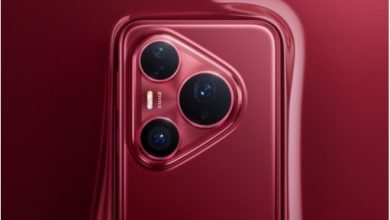
Smartphone design shapes how easily people operate their devices with one hand, affecting comfort, speed, reachability, and overall interaction patterns. Small changes in width, weight, grip texture, and screen layout determine how stable the device feels and how naturally the thumb moves across the display. As phones evolve with larger screens and more features, designers balance aesthetics with ergonomics to maintain usability. Devices such as the HONOR X5b plus demonstrate how thoughtful features can support one-hand interaction while still offering a large display and reliable performance. Understanding the elements that influence one-hand use helps users choose models that match their habits and physical comfort.
Which Physical Design Choices Support One-Hand Operation
Screen Proportions Shape Thumb Reach Zones
Smartphones rely on their height-to-width ratio to determine how easily users control the device with one hand. A narrower width allows the thumb to sweep more of the display without strain. Taller screens may expand viewing space, but they must avoid becoming too wide for comfortable grip. Many devices now adopt slender profiles so users can reach common interface elements without repositioning the phone repeatedly. The HONOR X5b plus incorporates a 6.56-inch high-definition screen with a form factor that prioritizes easy handling. Even though the display is spacious for reading, browsing, and social use, the overall width remains manageable for one-hand tasks such as checking notifications or navigating apps.
Weight Distribution Determines How Secure the Phone Feels
Balanced weight placement affects how stable a smartphone remains when used with a single hand. Devices that concentrate mass near the top tend to tip backward, forcing users to grip harder and tiring the hand. More balanced internal design allows the phone to rest naturally in the palm, reducing the effort needed to maintain control. This balance supports activities like scrolling, typing, or snapping quick photos without shifting grip frequently. The HONOR X5b plus keeps its internal components distributed in a way that feels steady during light, everyday one-hand use. Stability encourages users to perform more tasks comfortably without switching to a two-handed hold.
Grip Texture and Edge Shape Influence Handling Confidence
The feel of the device’s edges and back surface plays a large role in one-hand usability. Slight curvature supports the natural shape of the hand, while matte textures reduce slipperiness. When the device provides enough friction, users feel more confident operating it with the thumb alone. If a phone is too smooth or sharply edged, it may slip more easily, especially during actions like reaching the top corner of the screen. Devices like the HONOR X5b plus pair their smooth visual design with a practical build that remains comfortable during prolonged one-hand use. This reliability makes daily interactions—from messaging to browsing—feel less fatiguing and more intuitive.
How Software and Features Enhance One-Hand Interaction
Thumb-Friendly Interface Layouts Simplify Everyday Use
Many smartphone interfaces place essential icons, navigation bars, and interactive hotspots within natural thumb zones. By positioning items lower on the screen or enabling adaptive controls, the device reduces how far the thumb must travel. This approach supports effortless one-hand functionality for tasks such as returning to the home screen, switching apps, or opening frequently used tools. Features that deliver quick information—like Magic Capsule on the HONOR X5b plus—improve one-hand usability by presenting key details at the top without requiring complex movements. When the interface works with the user’s natural reach, actions feel smooth and efficient.
Gesture Shortcuts Reduce the Number of Required Moves
One-hand operation becomes easier when users replace multi-step actions with simple gestures. Double-tap shortcuts, quick-swipe actions, and knuckle-based interactions eliminate the need to stretch the thumb across the screen. This reduces strain and speeds up navigation. For example, the HONOR X5b plus includes knuckle screenshot capability, allowing users to capture the screen without adjusting grip or reaching for buttons. Gesture systems create a sense of flow because they allow users to perform tasks while maintaining a secure hand position. As a result, one-hand use becomes more practical for a wider range of daily activities.

Performance Smoothness Supports Controlled Thumb Input
Responsive devices enhance one-hand usability by ensuring the screen reacts precisely to deliberate movements. Lag, stutters, or inconsistent touch responses force users to tighten their grip or repeat actions, increasing fatigue. Smooth performance helps the user move the thumb lightly and accurately. The HONOR X5b plus’s eight-core processor maintains stable handling in apps and menus, so navigation remains fluid even during multitasking. A 90Hz refresh rate further contributes to effortless interactions because the display tracks motion cleanly. When responsiveness is consistent, users feel more confident working with one hand, relying on predictable behavior from the device.
Conclusion
Smartphone design significantly affects how comfortably users operate their devices with one hand. Physical characteristics such as width, weight balance, and grip shape influence how secure and natural the phone feels in the palm. Software design also contributes by arranging interfaces within easy reach, introducing gesture shortcuts, and ensuring smooth responsiveness. Features such as Magic Capsule, knuckle screenshots, and reliable performance in the HONOR X5b plus smartphone enhance everyday one-hand tasks without requiring excessive grip adjustments. As smartphones continue evolving, designers focus on harmonizing display size with ergonomic considerations, demonstrating that usability depends on both physical structure and intelligent interface design.