
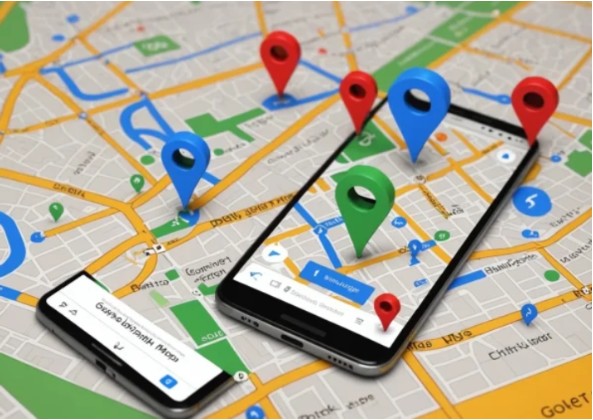
Delivery speed and accuracy can make or break customer satisfaction, especially in today’s on-demand economy. Whether you’re a courier, food delivery rider, or small business owner managing local shipments, reliable navigation is essential. Huawei phone users can still take advantage of powerful mapping tools to streamline routes, reduce delays, and handle more orders per day. With the right setup and smart habits, the google maps on huawei can become a practical productivity tool that supports faster, safer, and more efficient deliveries.
Smart Ways to Improve Delivery Efficiency with Google Maps
To get the most out of Google Maps during deliveries, it helps to move beyond basic turn-by-turn navigation. The following strategies show how drivers and riders can work smarter and stay ahead of common challenges.
Plan Routes Before Starting Each Shift
Preparation saves time on the road. Before heading out, entering multiple delivery addresses into Google Maps helps you understand distances, traffic patterns, and optimal order sequences. Reviewing routes in advance allows you to avoid congested areas, roadworks, or complex junctions. This habit reduces last-minute decisions and keeps deliveries flowing smoothly from the first stop to the last.
Use Real-Time Traffic and Rerouting
Live traffic data is one of the most valuable features for delivery professionals. Google Maps constantly analyzes traffic conditions and suggests faster alternatives when accidents or congestion appear. Following these dynamic updates helps drivers maintain momentum instead of getting stuck in delays. Over a full day of deliveries, even small time savings on each route can add up to significantly higher efficiency.
Save Frequent Locations and Shortcuts
Delivery work often involves repeat destinations such as warehouses, restaurants, or regular customers. Saving these places in Google Maps allows instant access without retyping addresses. Custom labels like “Daily Pickup” or “Top Customer” also reduce errors and speed up navigation. For drivers handling dozens of stops, this simple step minimizes distractions and keeps attention focused on the road.
Optimize Stops with Multi-Stop Navigation
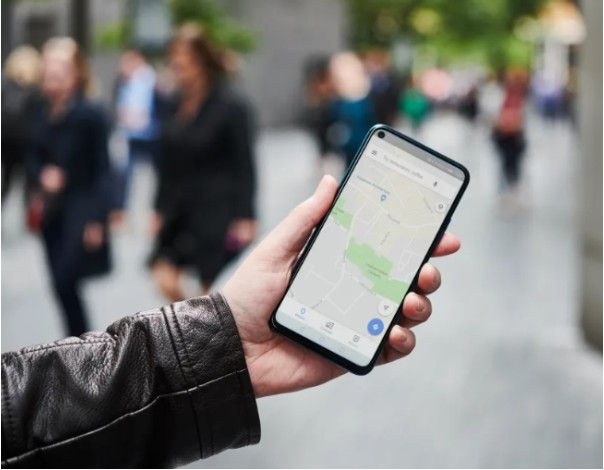
Google Maps supports multi-stop route planning, which is ideal for batch deliveries. By adding several destinations into one route, drivers can visualize the most logical order and reduce unnecessary backtracking. This feature is especially useful for grocery deliveries, parcel drops, or food couriers working during peak hours. Efficient stop sequencing improves fuel usage and shortens overall delivery times.
Rely on Voice Navigation for Hands-Free Driving
Keeping your hands on the wheel and eyes on the road is critical for safety and speed. Voice-guided navigation allows drivers to follow directions without constantly checking the screen. Clear audio prompts help with lane changes, exits, and turns, reducing missed turns and sudden braking. Over time, hands-free navigation leads to smoother driving and fewer disruptions.
Check Arrival Times and Communicate Proactively
Accurate estimated arrival times help manage customer expectations. Google Maps updates ETAs in real time based on traffic conditions, allowing drivers to notify customers if delays occur. Proactive communication builds trust and reduces complaints, which is particularly important for food and time-sensitive deliveries. Staying informed also helps drivers decide when to speed up or slow down safely.
Use Offline Maps as a Backup
Network coverage isn’t always reliable, especially in industrial zones or remote delivery areas. Downloading offline maps ensures navigation continues even when data drops. This backup prevents wasted time searching for directions and keeps deliveries on schedule. For professionals who can’t afford interruptions, offline access adds an extra layer of reliability.
Monitor Battery and App Performance
Long delivery shifts can drain battery life quickly. Adjusting screen brightness, closing unused apps, and using battery-saving modes help keep navigation running all day. A stable phone ensures uninterrupted access to routes, updates, and customer locations, which is essential for maintaining delivery efficiency.
Conclusion
Boosting delivery efficiency is about navigating smarter. Google Maps provides delivery professionals with tools to plan routes, avoid delays, and handle multiple stops with confidence. When used effectively, it reduces wasted time, improves safety, and increases daily order capacity. For Huawei users, google maps for huawei can serve as a reliable navigation partner, helping turn every delivery run into a more streamlined and productive experience.


